Quick Bites: Making a Commit as Part of a GitHub Action Flow
Use GitHub Actions to push changes as part of a PR
Background
I use the resume.md tool to maintain my resume. An advantage of using this tool is that my resume sits nicely in Git version control and I can modify it with ease of mind.
The tool takes a MarkDown file and generates .html and .pdf resume outputs.
Whenever I want to make changes to my resume, I checkout a new branch, make my changes and raise a PR to the main branch (for myself to review). As I primarily make changes to the .md file, I tend to forget to run the tool locally in order to generate the output files. This means that the files are outdated.
Luckily, GitHub Actions provides few actions we can combine together to keep everything in sync.
The Action
name: Generate Resume

on:
  pull_request:
    branches: [master]

jobs:
  build:
    runs-on: ubuntu-latest
    steps:
      - uses: actions/checkout@v2
        with:
          ref: ${{ github.head_ref }}
      - name: Set up Python 3.8
        uses: actions/setup-python@v2
        with:
          python-version: "3.8"
      - name: Install Python dependencies
        run: |
          python -m pip install --upgrade pip
          if [ -f requirements.txt ]; then pip install -r requirements.txt; fi
      - name: Setup Chrome
        uses: browser-actions/setup-chrome@v0.0.0
      - name: Run tool
        run: "python3 resume.py"
      - name: Update resume artifacts
        run: |
          git config --local user.email "41898282+github-actions[bot]@users.noreply.github.com"
          git config --local user.name "github-actions[bot]"
          git commit -m "Update resume artifacts" -a
      - name: GitHub Push
        uses: ad-m/github-push-action@v0.6.0
        with:
          github_token: ${{ secrets.GITHUB_TOKEN }}
          branch: ${{ github.head_ref }}
More Details
Run Action on PR
The following portion instructs GitHub Actions to run this action when a PR is made against master:
on:
  pull_request:
    branches: [master]
Checkout PR Branch
We then need to instruct the checkout action to checkout the ref of the branch which we wish to merge with master. We specify this ref so that commits will be made to this branch later on.
- uses: actions/checkout@v2
  with:
    ref: ${{ github.head_ref }}
github.head_refis one of the many variables GitHub provides us.
Install Python and Dependencies
As the tool is Python-based, we need to install Python and the dependencies we have specified in a requirements.txt file.
- name: Set up Python 3.8
  uses: actions/setup-python@v2
  with:
    python-version: "3.8"
- name: Install Python dependencies
  run: |
    python -m pip install --upgrade pip
    if [ -f requirements.txt ]; then pip install -r requirements.txt; fi
Install Chrome/Chromium
The tool generates the .pdf output by utilizing the functionality present in Chrome. We need to install Chrome/Chromium so that our action is able to generate the .pdf output too.
I have used the setup-chrome action to accomplish this.
- name: Setup Chrome
  uses: browser-actions/setup-chrome@v0.0.0
Run the Tool
The tool is run and the output files are generated in this step.
- name: Run tool
  run: python3 resume.py
Commit the Changes
Now that the tool has generated the output files, these files need to be committed before they can be pushed.
- name: Update resume artifacts
  run: |
    git config --local user.email
    "41898282+github-actions[bot]@users.noreply.github.com"
    git config --local user.name "github-actions[bot]"
    git commit -m "Update resume artifacts" -a
No fancy action is involved here, just plain old Git commands. I have used the above commands as github-push-action had provided a nice example of its' usage.
Push Changes
This is the step you have been waiting for!
In this step, we utilize github-push-action to push the changes (which contain the generated files) to the branch.
- name: GitHub Push
  uses: ad-m/github-push-action@v0.6.0
  with:
    github_token: ${{ secrets.GITHUB_TOKEN }}
    branch: ${{ github.head_ref }} # Push changes to the PR branch
github-push-actioncontains other configuration options which can meet your needs.
Wrapping it Up
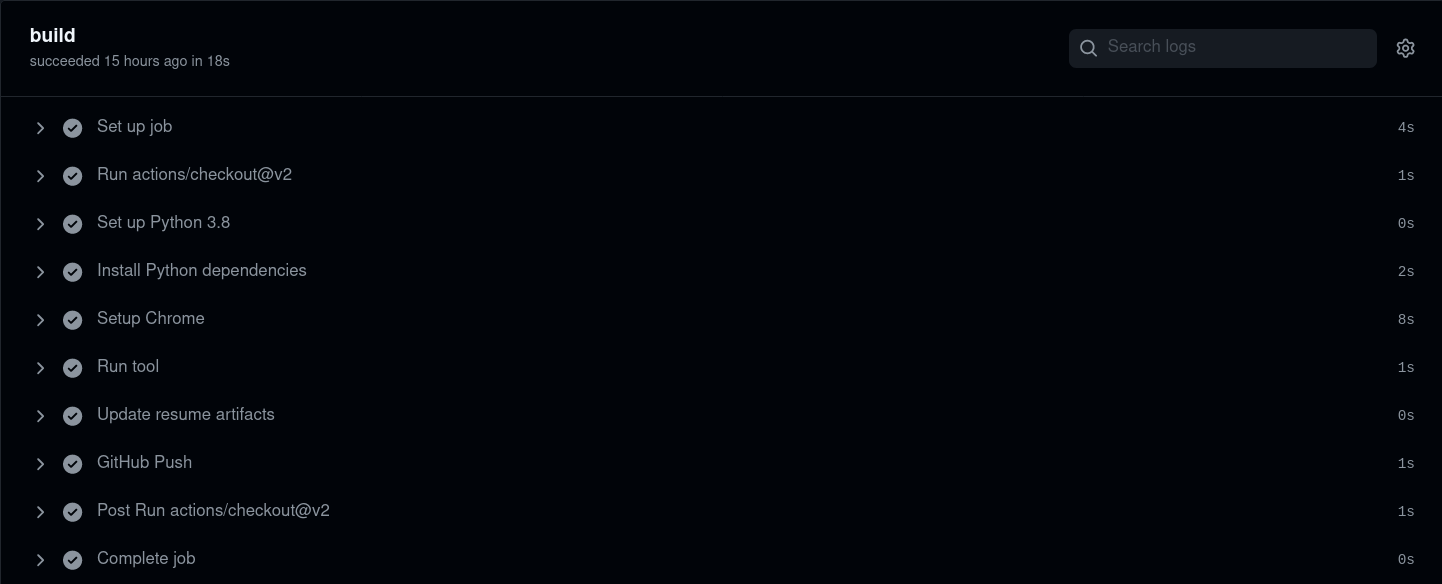
Here's how the workflow looks in action:
Comments
Join the discussionNo comments yet. Be the first to comment.

